
Measure the speed of passing cars with your iPhone
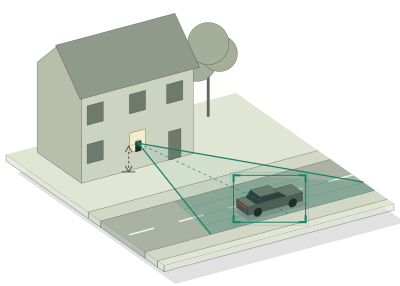
Set the phone in a window, looking across the road, and each passing car gets its speed on screen.
You do not need a radar gun or any extra hardware. SpeedCam AI uses your iPhone’s camera and on-device AI. Set the phone where it can see the road, tap Start Detecting, and each moving vehicle gets a box, with the speed of cars and motorcycles as they pass. Live speeds are free, for as long as you like, with no account.
Where to put the phone
Where the phone sits matters more than anything else you do.
- Look across the road. Turn the phone a little to one side, so cars cross the picture rather than drive towards it. A view along the road, with traffic coming at the camera, is the view the app reads worst.
- Stay close. Keep the lane you want to measure near, close enough that a passing car fills at least a quarter of the picture’s width.
- Keep it still. A windowsill, a dashboard or a tripod all work, as long as the phone does not move or vibrate. Clean the glass of a window mount, and avoid pointing at the sun.
Tell the app how high it sits
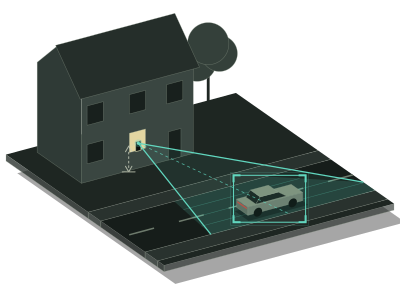
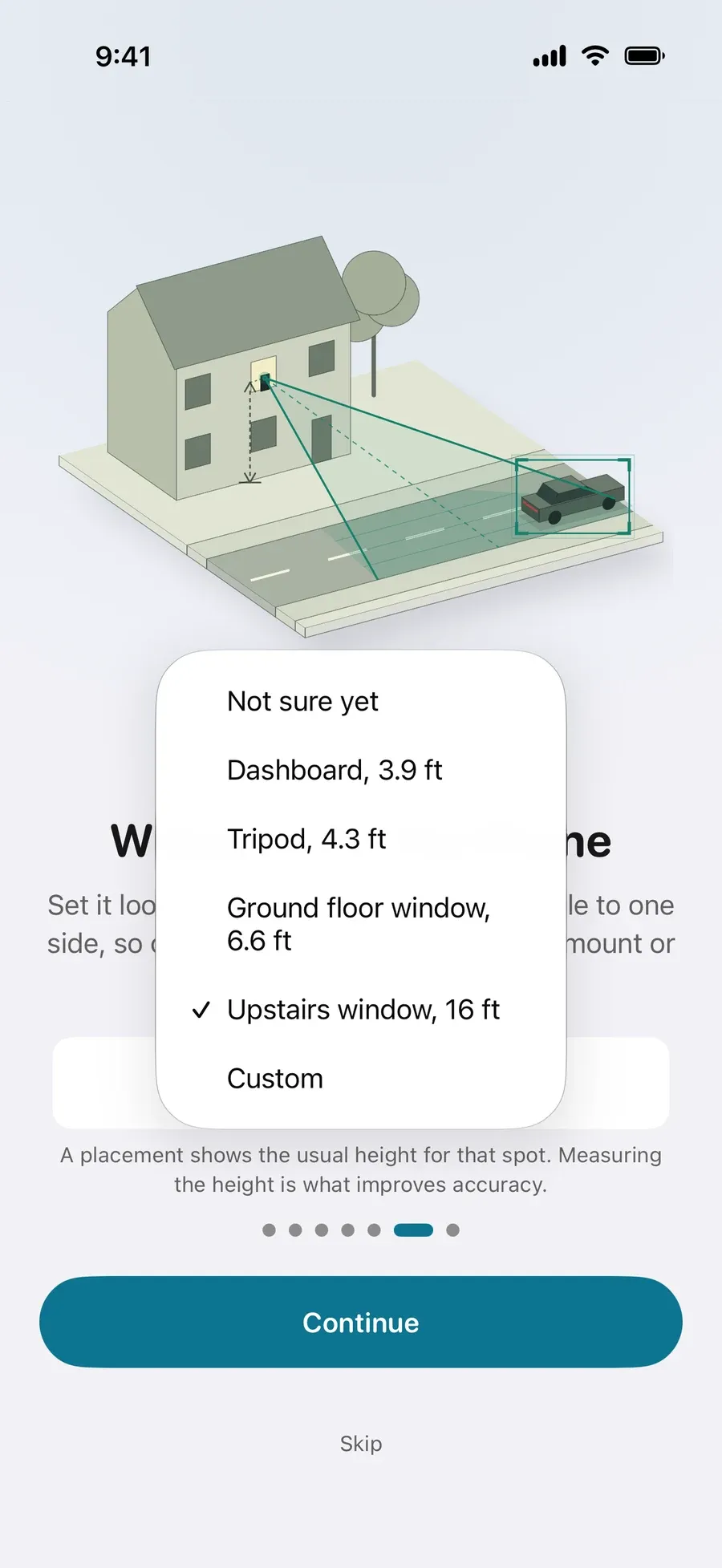
When you set up, pick where the phone will be: a dashboard, a tripod, a ground floor or an upstairs window. Each placement shows the usual height for that spot. For more accurate speeds, measure how high the phone sits above the road and enter it, with Custom or later in Settings › Capture › Camera height. Measuring the height is what improves accuracy.
Watch the speeds
Tap Start Detecting. Speeds show straight away, in mph or km/h, while the app learns your view from the passing traffic. The status at the top of the Live view reads “Learning this view” and then “Measuring”. The session is recorded as it runs, and each vehicle’s speed is saved once its reading has settled. Without Pro, the session is kept on your iPhone, locked until you start Pro.
If the line above the buttons asks you to turn the phone or move closer, do that: readings are sharper when traffic crosses the view.
What Pro adds
Live speeds on screen are free, and so is recording. Without Pro, each session is kept on your iPhone, locked, and Analytics shows its vehicle count, typical speed, share over the limit and the speed 85% of traffic stays at or under. Pro shows every photo of each vehicle over your limit by the margin you choose, and the charts of your street, down to when the street is busiest, and adds optional video clips. Export a PDF report, CSV or JSON. Pro is $19.99 a year with a 3-day free trial for new subscribers, or $59.99 once, in US dollars, and the App Store shows the price in your currency. See Is SpeedCam AI free? and Pricing.
What the numbers are
Vehicles are detected on your iPhone, and your recordings are never sent to us. SpeedCam AI is a consumer tool for neighborhood awareness and personal traffic studies. It is not intended for any legal, insurance or enforcement process.
Next steps
- Speed gun for cars, or the iPhone in your window
- How to measure a car’s speed from a video
- Speeding on my street: how many cars go over the limit?
- What does it take to get a speed hump on your street?
- When is my street busiest?
- How to run a neighborhood traffic study or traffic survey with your iPhone