
Full analytics dashboard
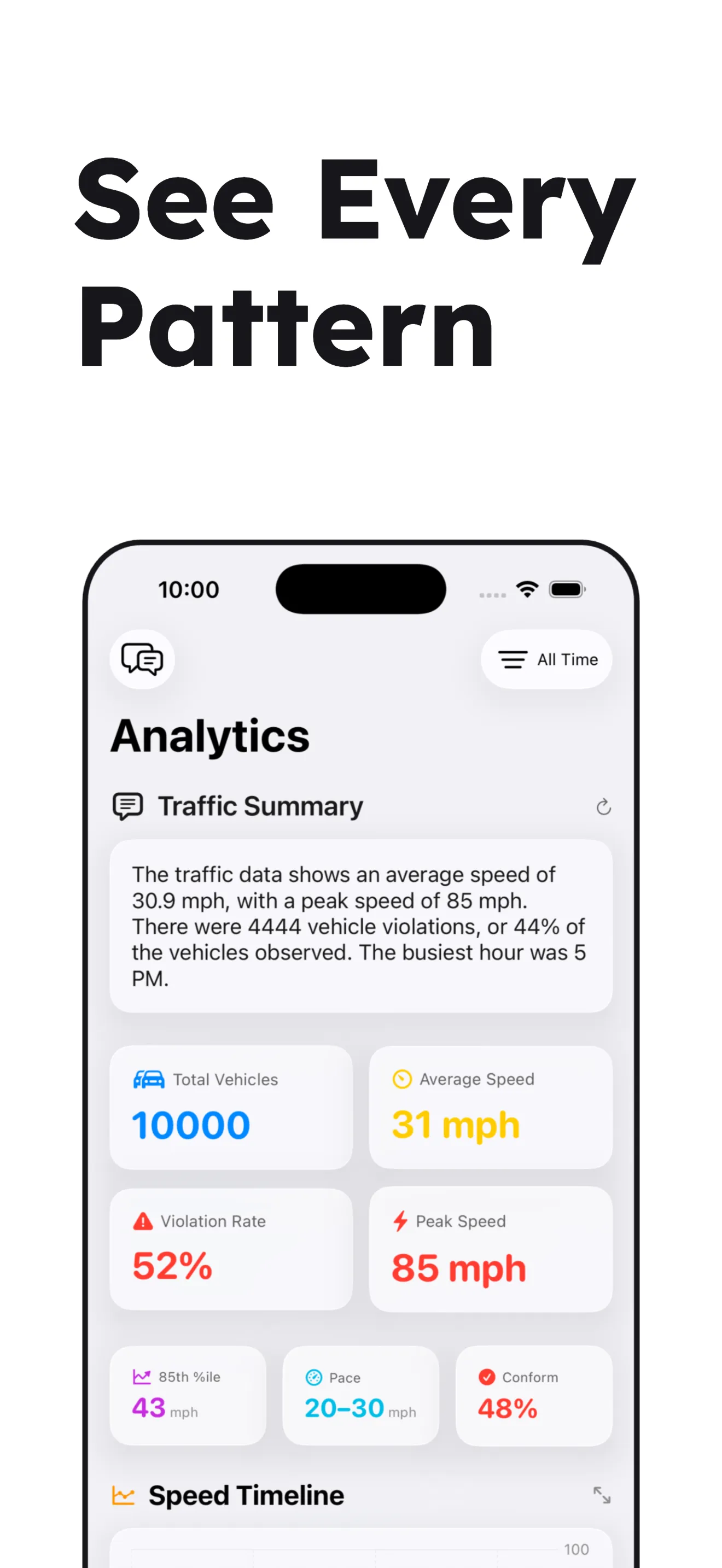
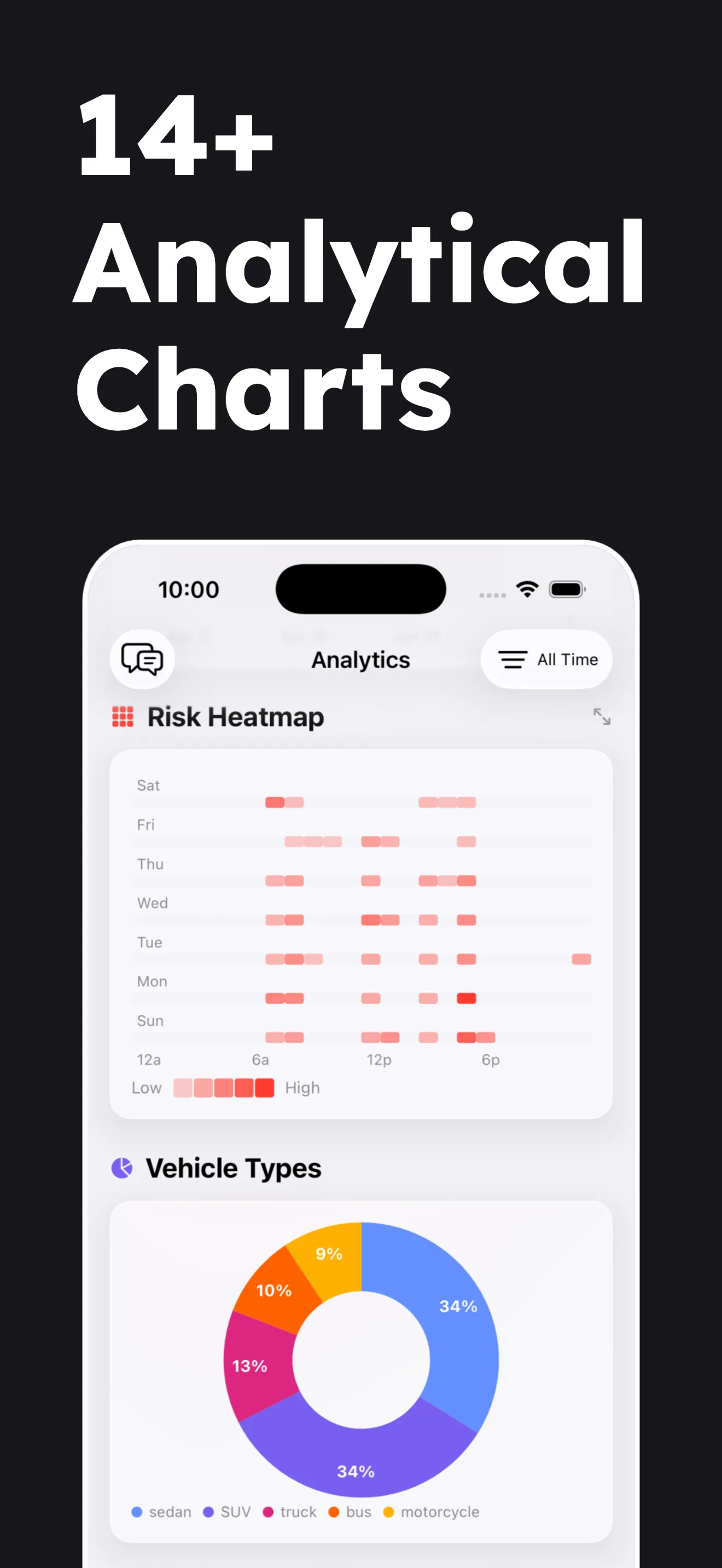
Traffic-engineering metrics out of the box: 85th percentile, pace speed, compliance rate, speed heatmaps, and more.
Traffic intelligence · iOS 26
Point your iPhone at a street and turn it into a precision measurement instrument. On-device Core ML, Apple Neural Engine, and a 14-chart analytics dashboard. No footage ever leaves your phone.
Free to try · Requires iOS 26 · iPhone 12 or newer
Inside the app
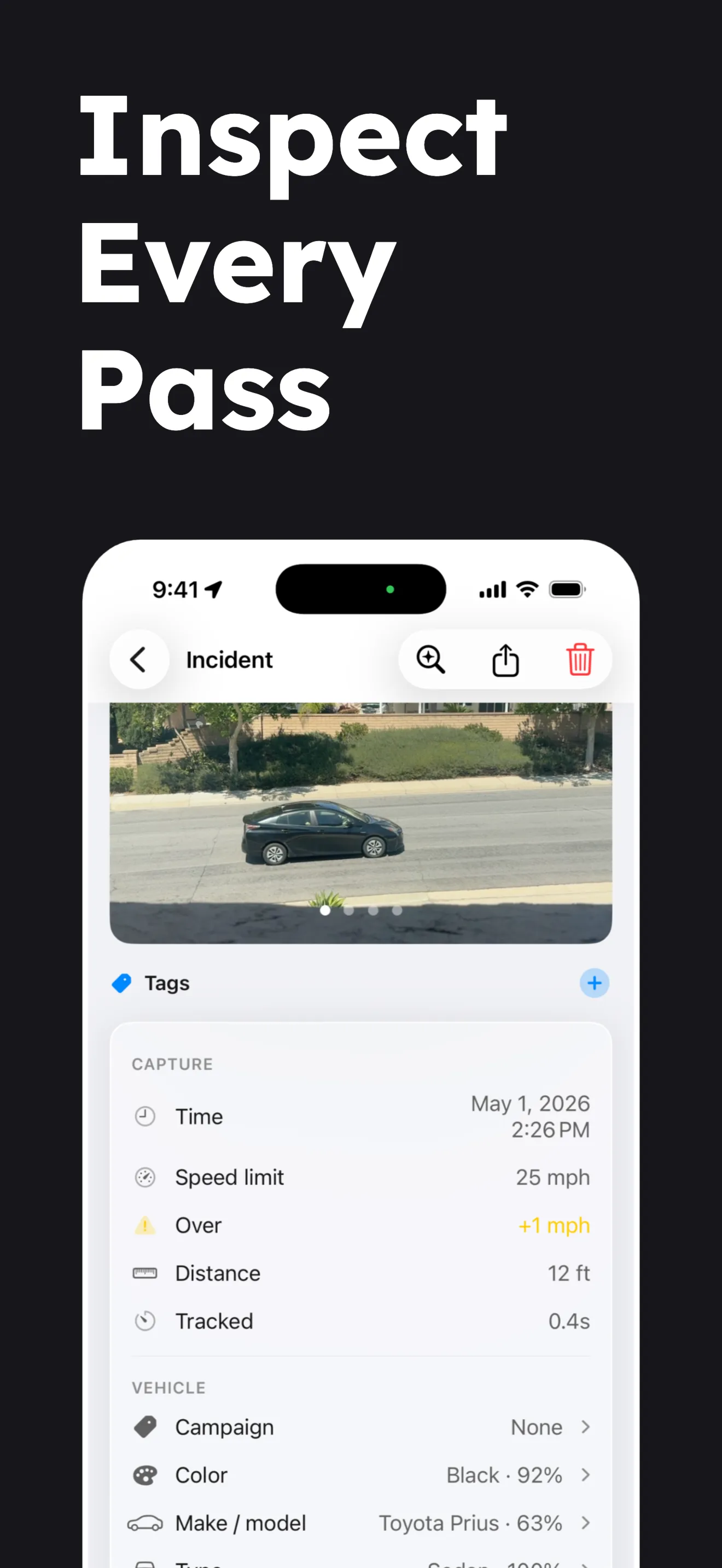
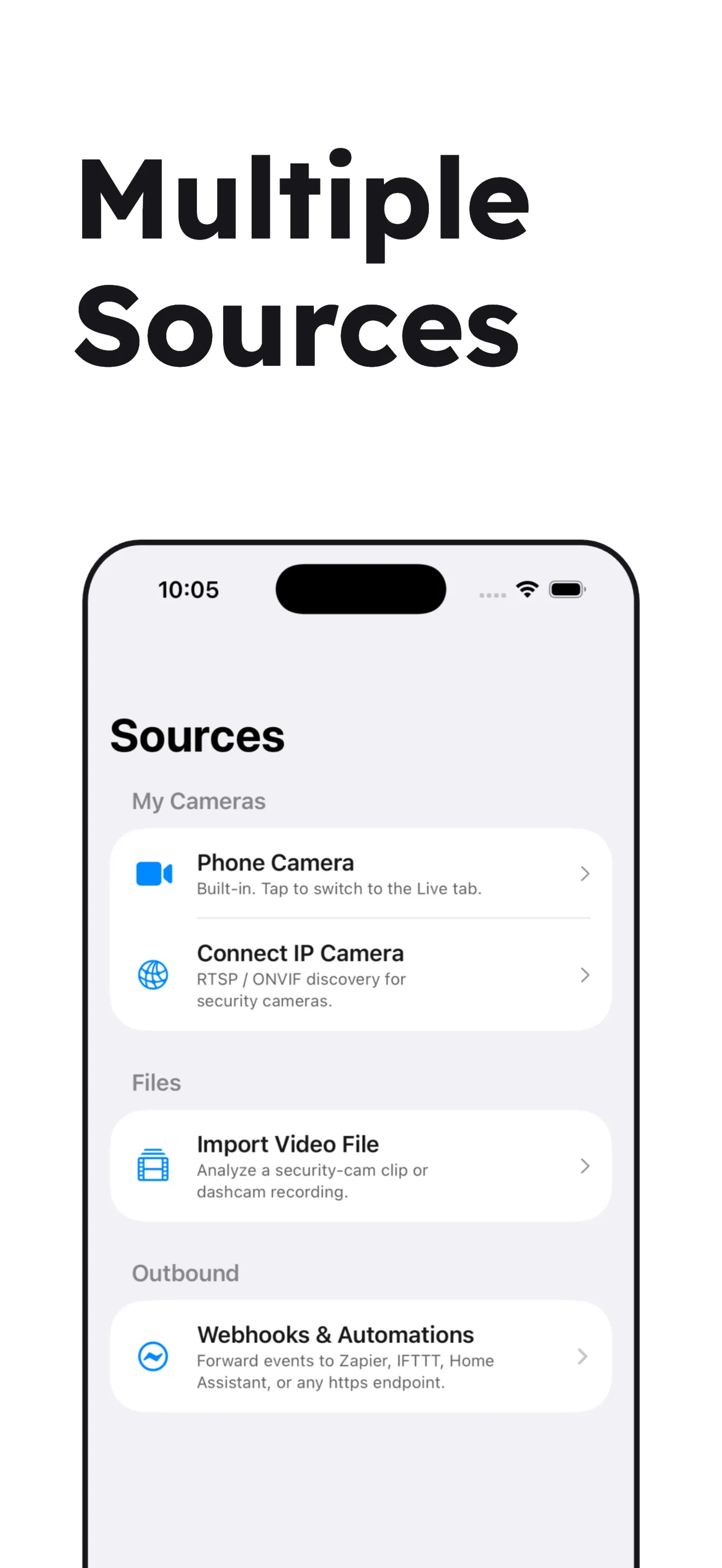
The same set that ships on the App Store. Every capture, chart, and source in one scroll.
How it works
No tripod required. No camera rigging. Just point, calibrate once, and let SpeedCam AI do the rest.
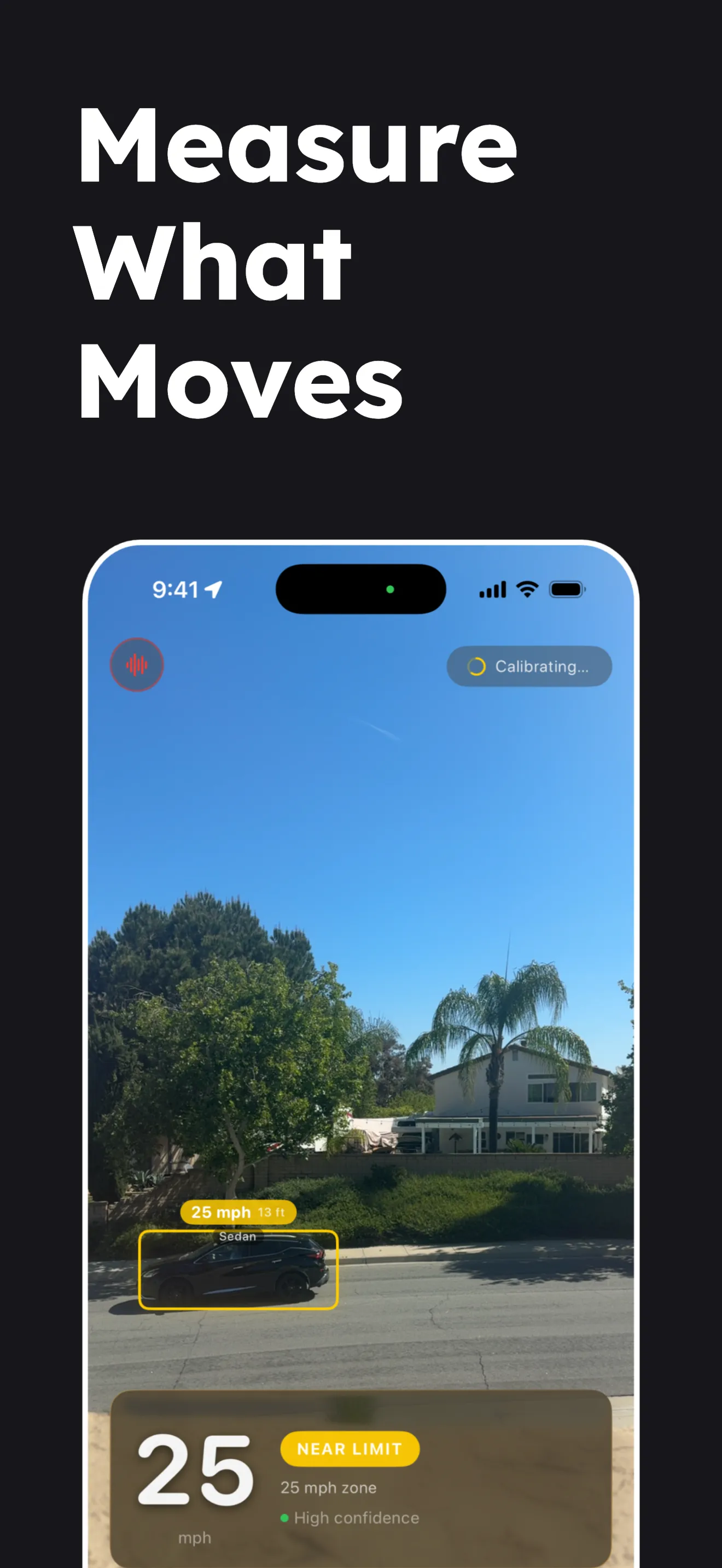
Mount your iPhone on a window, dashboard, or tripod. Any angle works. Draw a region of interest around the lane you care about.
Calibration runs in the background as traffic passes. Or drop a 2-point reference line of known length for faster ground-truth accuracy.
Live speed readings and a traffic-engineering dashboard out of the box. Subscribe to Pro to record on your own footage and capture incident photos. Export as PDF, CSV, JSON, or TMAS.
Features
On-device vehicle detection, speed measurement, and traffic analytics, built for neighborhood-scale studies.
Live detection, analytics, and exports are free with demo data. Recording on your own footage, video import, and IP camera support unlock with Pro. See pricing.
Traffic-engineering metrics out of the box: 85th percentile, pace speed, compliance rate, speed heatmaps, and more.
No tripod required. The app learns your camera angle from passing traffic, or drop a 2-point reference line for instant accuracy.
Chat with your traffic data in plain English. “Fastest vehicle this week?” “Plot traffic by hour.” Apple Intelligence answers locally. Zero cloud round-trips, zero prompts to any third party.
Two independent estimators cross-check every reading. Outliers are filtered automatically. Readings stay smooth as traffic changes.
Draw a polygon around the lane you care about. Everything outside is ignored. Crisper counts, faster inference.
RTSP URLs and credentials live in the iOS Keychain, never on a server, never in iCloud. One tap plus Face ID to reconnect. Up to 12 cameras.
PDF reports with automatic highlight reels, plus JSON, CSV, and industry-standard TMAS files. Share via AirDrop, email, or Files.
300+ make/model entries spanning 47 countries, modern EVs included: Cybertruck, R1T, Lucid Air, Mustang Mach-E, EV6 and more. Every recording is fingerprinted with deep on-device visual embeddings plus color and body-type recognition. Match the same physical vehicle across days, sessions, and campaigns.
Tap any prediction to correct it: color, vehicle type, or make/model. The app remembers and applies the same correction on similar future captures. Everything stays on your phone.
Route recorded events to Zapier, IFTTT, n8n, Home Assistant, or any HTTPS endpoint. HMAC-SHA256 signed, rate-limited, keeps delivering while backgrounded.
Connect any RTSP or ONVIF-capable IP camera. Video decoding runs on your iPhone with no cloud round-trips. Standards-based, so you pick the hardware.
Three intents (Generate Speed Chart, Delete Incident, Delete Session), Siri Suggestions on capture, and a system Focus Filter.
Who uses it
Traffic data you can act on. For your street, your research, or your reporting.
Quantify speeding in your neighborhood with time-of-day, day-of-week, and 85th-percentile data. Present to council with exportable PDFs.
For residentsMeasure speed on your own street with your phone. Tag sessions by location (“School Zone,” “Oak St,” “Hwy 101 Onramp”) to build a before-and-after picture for traffic-calming asks.
For engineers + plannersRun a volume and speed survey on any video. TMAS exports plug directly into industry tooling. Headway histograms, safety events, pedestrian counts.
For reportersGather reproducible, privacy-preserving traffic data with on-device provenance. No cloud relay, no third-party processing.
FAQ
No. Every frame is processed on-device using Core ML on the Apple Neural Engine. Video, images, and bounding boxes are never sent to SpeedCam AI. The one exception is yours to choose: from version 1.2.0, Pro users can turn on Keep in iCloud, which puts their incidents, photos and videos in their own iCloud account and nowhere else. Only aggregate usage counts (anonymous, no personal data) are sent to our analytics backend.
By default everything stays on your iPhone. Your incidents, photos and videos are saved on the phone and nothing leaves it. With Pro you can choose otherwise: one switch, Keep in iCloud, in Settings › Data. Turning it on does two things. Your recorded incidents, sessions and stats sync to every iPhone and iPad signed into the same Apple Account, and they come back if you reinstall the app. Your clips and photos move into your own iCloud Drive, in a folder per device, so any of your devices can open them and your phone keeps its storage free. Clips move right after recording; photos move once each capture has finished processing. The switch takes effect straight away, with no restart. Turn it off and syncing stops at once, this iPhone keeps its own copy, and your photos and videos come back on their own, with no button to press (the app tells you first if it needs more free space). Anything you delete while it is off comes back if you turn it on again. Nothing ever goes through a SpeedCam AI server: your data stays in your own iCloud account, and locations, notes and summaries are stored there encrypted. If you sign out of iCloud or change accounts, syncing pauses and nothing is deleted. You can remove the app’s data from iCloud any time in Settings › Apple Account › iCloud › Manage Account Storage.
iPhone 12 or newer running iOS 26. Object detection runs on the Apple Neural Engine, so performance scales naturally with your iPhone’s hardware: the minimum spec runs smoothly, and newer chips (A18 and later) process detection frames noticeably faster. The on-device AI analyst additionally requires an iPhone that supports Apple Intelligence.
Accurate enough for neighborhood-scale speed insights. The implementation is grounded in published computer-vision research on monocular speed estimation. Each reading is calibrated to your specific shooting angle and filtered on-device for outliers before it displays, and the analytics dashboard summarizes distributions with confidence bands so you can separate signal from noise. SpeedCam AI is purpose-built for trend detection and advocacy data, not a certified measurement device.
No. Any stable mount works: a window, a dashboard, a tripod. Point it across the road, turned a little to one side, so cars cross the picture rather than drive towards it, and keep the lane you are measuring close enough that a passing car fills at least a quarter of the picture’s width. A vanishing-point calibrator learns your camera angle from passing traffic. For faster accuracy, drop a 2-point reference line on any road feature of known length (e.g., a crosswalk stripe). End-to-end walkthrough: How to run a traffic study.
PDF reports, JSON, CSV, and industry-standard TMAS volume/speed files. Exports can be filtered by campaign tag, session, or confidence level.
Yes. Open the Sources tab and tap Import Video File. Choose any video from your library. Consumer security-cam footage, action cams, or iPhone recordings all work. SpeedCam AI runs the same on-device detection and records every vehicle ≥5 mph as a speed survey.
Yes. SpeedCam AI connects to any RTSP or ONVIF-capable IP camera. ONVIF auto-discovery finds compatible cameras on your local network automatically. Video decoding runs on your iPhone. No cloud round-trips.
Yes. Pro includes outbound webhooks. Point them at Zapier, IFTTT, n8n, Home Assistant, or any HTTPS endpoint. Payloads are signed with HMAC-SHA256 and rate-limited to 1000 events per day so a burst cannot run away. Three event types ship: incident_recorded, session_started, session_ended. Delivery keeps going while the app is backgrounded, backed by a durable on-device queue and exponential-backoff retries. Setup: Sources → Webhooks & Automations → Add endpoint. No cloud relay. See Automation for the Siri + Shortcuts + webhooks story.
Yes. Pro unlocks on-device visual search. Every recorded vehicle is fingerprinted with deep visual embeddings plus make/model, color, and body-type recognition (300+ make/model entries spanning 47 countries, modern EVs included; see Choosing your Vehicle Region for the full region list and how to override it), enough to match the same physical vehicle across days, sessions, and campaigns. Tap any prediction to correct it. The app folds your corrections into a per-user model that improves future captures, all on-device. A strict mode requires color + body-type gates; a loose "similar look" toggle is also available. Results are ranked, tappable, and never leave the phone.
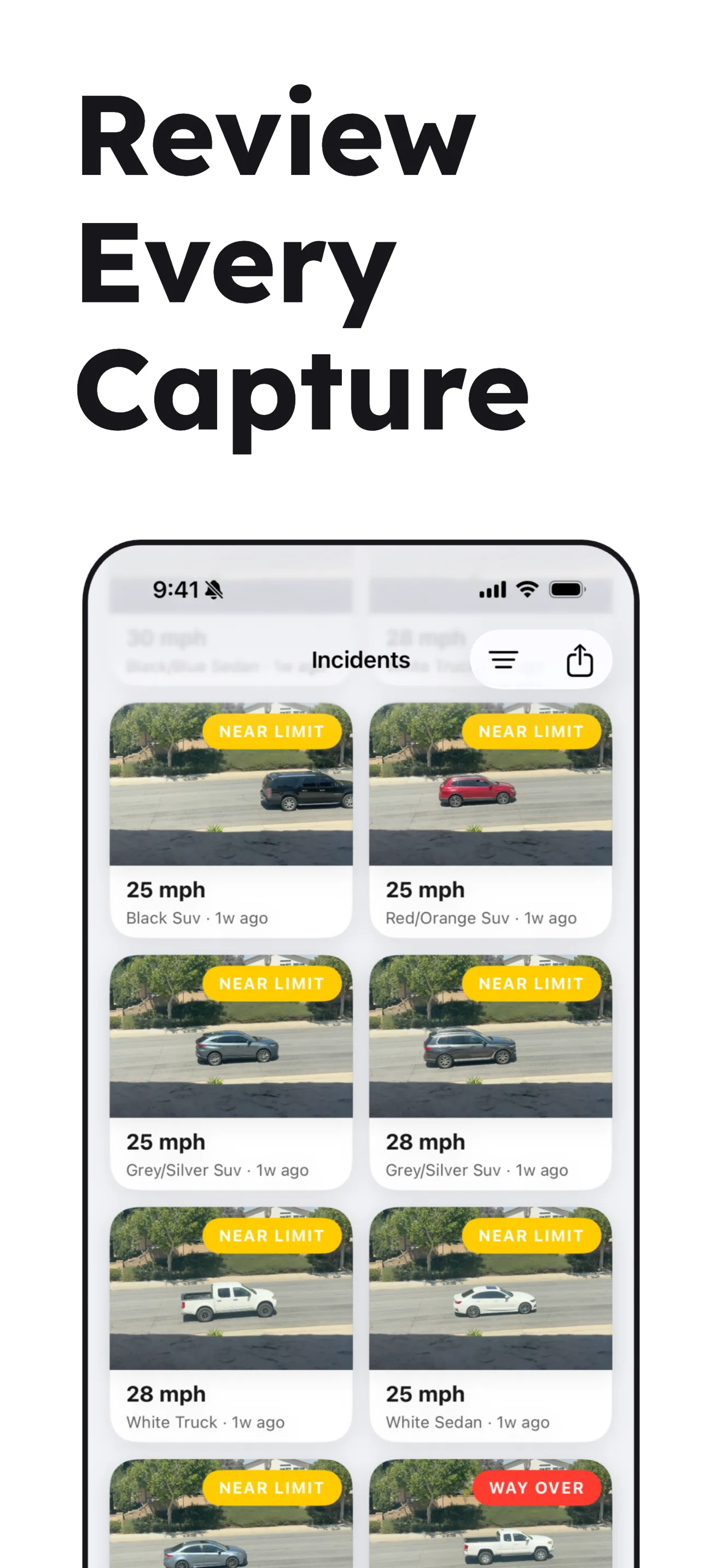
Yes, as an opt-in Pro feature. Record short on-device video clips for extreme speeding (a vehicle exceeding your speed limit by a threshold you pick) or, from version 1.2.0, for every recorded incident. Clip length is configurable (default 8 seconds). Clips stay on your phone, or in your own iCloud Drive if you turn on Keep in iCloud, and are never sent to SpeedCam AI or any third party. Clips play back inline from the incident detail screen, and Save Clips & Stills in the share menu exports a clip with its photos to Files, iCloud Drive, Google Drive or AirDrop. Still photos are captured for every incident regardless of this setting.
Yes. Three Shortcut intents ship (Generate Speed Chart, Delete Incident, Delete Session), plus Siri Suggestions for when incidents are captured or sessions start, plus a system Focus Filter. Everything runs on-device. Full catalog at Automation.
Yes. A built-in on-device AI analyst (powered by Apple Intelligence) answers natural-language questions about your captured sessions. Ask “What was the fastest vehicle last week?”, “Plot traffic by hour of day”, or “Which session had the most incidents?” Queries and responses never leave your phone, and no prompts are sent to any cloud LLM. Included with Free and Pro. Requires an iPhone that supports Apple Intelligence.
Yes. Every install comes with a bundled demo dataset so you can explore the full analytics dashboard before subscribing. Pro ($19.99/year after a 3-day free trial or $59.99 lifetime) unlocks live detection on your own footage, incident capture, visual search, saved IP cameras, webhooks, and all export formats. See Pricing for the full feature comparison.
Ready when you are
Free to try. No account required. Works with the iPhone already in your pocket.