
How to measure a car’s speed from a video
All you need is a video of the car, two marks on the road and the distance between them.
To measure a car’s speed from a video, you need two marks on the road a known distance apart and a video of the car passing both. Count the frames the car takes to get from one mark to the other, divide by the video’s frame rate to get the time, and divide the distance by the time:
speed = distance ÷ (frames ÷ frames per second)
Step by step
- Pick two marks on the road. Lines that run across the road work best: joints in the pavement, the edge of a crosswalk, or the ends of the painted dashes down the middle. Measure the distance between them along the lane with a tape or a measuring wheel. The farther apart they are, the less one frame matters (see below).
- Film the car passing both marks. Keep the camera still: on a tripod, a wall or a windowsill. Start before the car reaches the first mark and stop after it passes the second.
- Count the frames. Step through the video one frame at a time. Note the frame where the front of the car (or its front wheel) reaches the first mark, then the frame where the same point reaches the second. The frames between them is the second number minus the first.
- Work out the speed. Divide the frames by the frame rate to get the time in seconds, then divide the distance by the time.
A worked example
Two pavement joints are 66 feet apart. A video recorded at 30 frames a second shows the car’s front at the first joint in frame 120 and at the second in frame 165.
- Frames between the marks: 165 minus 120 = 45 frames.
- Time: 45 ÷ 30 = 1.5 seconds.
- Speed: 66 feet ÷ 1.5 seconds = 44 feet a second.
- In mph: 44 × 3,600 ÷ 5,280 = 30 mph, which is 48.3 km/h.
In meters: marks 20 m apart and 24 frames at 30 frames a second give 0.8 seconds, 25 meters a second, which is 90 km/h (55.9 mph).
Calculator
Enter the distance between your marks, the frames between them and the video’s frame rate.
The frame number at the second mark minus the frame number at the first.
- Speed
- 30.0 mph
- In km/h
- 48.3 km/h
- Time between the marks
- 1.5 s
66 ft ÷ (45 frames ÷ 30 fps) = 66 ft ÷ 1.5 s = 44 ft/s
Why the marks go on the road
Count each mark at the moment the car is level with it. A line across the road is level with the car at the same moment wherever you film from. A post or a tree beside the road is not: seen from an angle, the car lines up with it before or after it actually passes, and the farther the car’s lane is from the post, the bigger that gap. So pick marks on the road surface, or lines that run across it, and use the same point on the car at both.
Find the frames
- Step one frame at a time. Most video editors can. On a Mac, QuickTime Player steps a paused video one frame forward or back with the arrow keys.
- Use frame numbers or times. If your editor shows a time for each frame, you can skip the frame count: subtract the first time from the second to get the time between the marks, and divide the distance by it.
- Use the same point on the car. The front bumper or the front wheel, at both marks.
Check the frame rate
The frame rate you divide by has to be the rate the video was recorded at.
- On iPhone, Settings › Camera › Record Video sets the rate: 24, 25, 30 or 60 frames a second, and 120 on some models. In Photos, swipe up on a video for its details, which on recent versions of iOS include the frame rate.
- Low light. With Auto FPS on, an iPhone can drop to 24 frames a second in low light, and a clip whose light changed can mix rates. Times read from an editor are the safer choice for such a clip.
- Slow motion records at 120 or 240 frames a second and plays back slower. Use the recorded rate, not the playback speed.
How much one frame matters
You can only count whole frames, so the answer moves by one frame’s worth. In the worked example, one frame either way changes the answer like this:
| Marks and frame rate | One frame fewer | Counted | One frame more |
|---|---|---|---|
| 66 ft at 30 frames a second | 44 frames: 30.7 mph | 45 frames: 30.0 mph | 46 frames: 29.3 mph |
| 66 ft at 60 frames a second | 89 frames: 30.3 mph | 90 frames: 30.0 mph | 91 frames: 29.7 mph |
| 132 ft at 30 frames a second | 89 frames: 30.3 mph | 90 frames: 30.0 mph | 91 frames: 29.7 mph |
Twice the frame rate, or marks twice as far apart, halves what one frame changes.
Or let SpeedCam AI do it
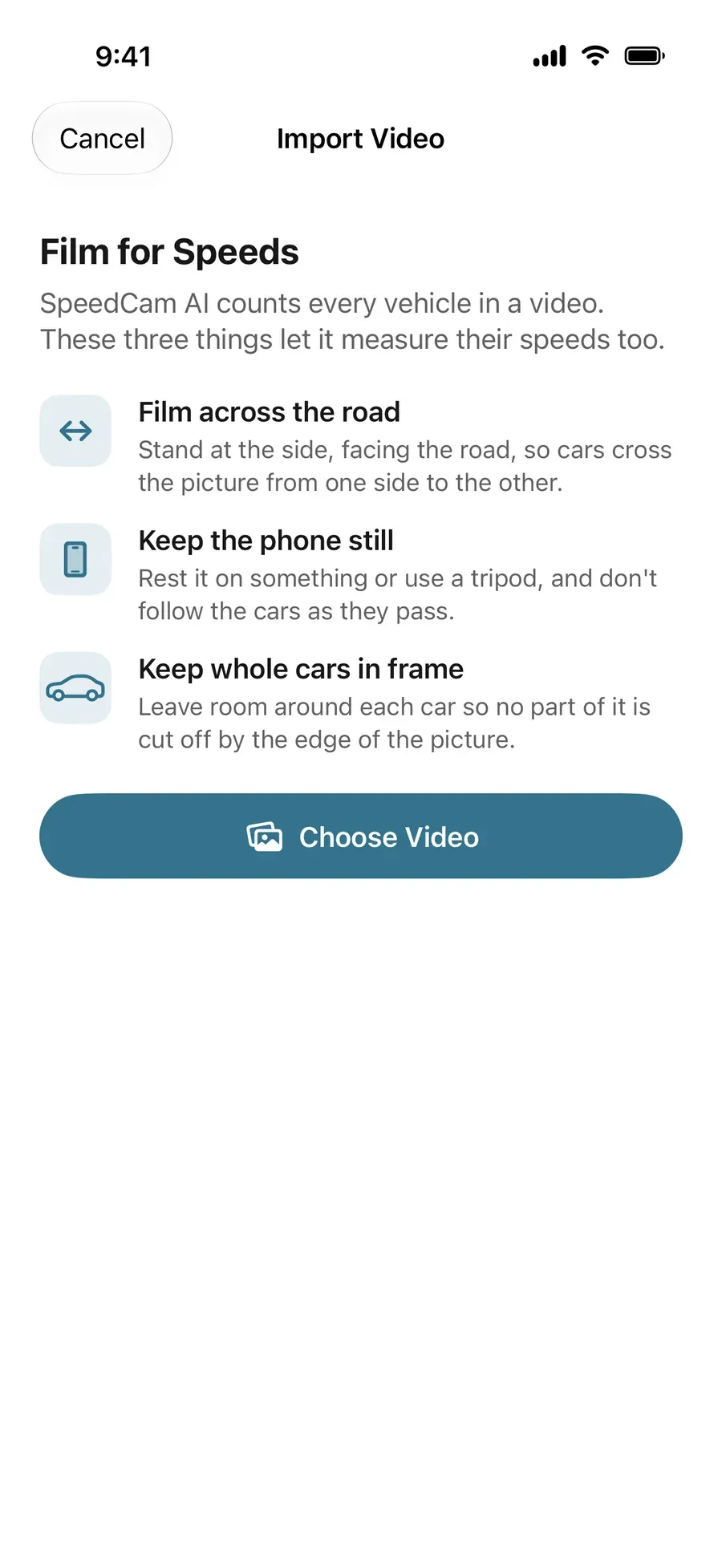
With SpeedCam AI there are no marks to measure and no frames to count: point the phone at the road and each car’s speed shows on screen as it passes. Live speeds and recording are free, and each session is kept on your iPhone. With Pro, its charts and photos open, and the app can count the traffic in a video you already have.
Sources
Read on October 27, 2026.
- Apple, Keyboard shortcuts and gestures in QuickTime Player on Mac: the arrow keys step one frame back or forward.
- Apple, iPhone User Guide, Record a video with your iPhone camera: the recording formats and frame rates.
- Apple, iPhone User Guide, Change video recording settings on iPhone: Auto FPS, which lowers the frame rate to 24 in low light.
Next steps
Questions, answered.
Can I work out how fast a car was going from my video?
Yes, if the camera was still and you know the distance between two marks the car passed. Count the frames it took to go from one mark to the other, divide by the frame rate to get the time, and divide the distance by that time.
Is there a way to measure speed from a video on iPhone?
Yes. Film the car passing two marks you have measured, then step through the clip frame by frame to count the frames between them. In Photos, swipe up on the video for its details, which on recent versions of iOS include the frame rate. The calculator on this page does the rest.
What frame rate does my iPhone record at?
It depends on Settings › Camera › Record Video: 24, 25, 30 or 60 frames a second, and 120 on some models, with 120 or 240 for slow motion. With Auto FPS on, an iPhone can drop to 24 frames a second in low light, so check the clip itself rather than the setting.
Why do the marks have to be on the road?
So the car is level with each mark at the moment you count it, wherever the camera stands. A post beside the road lines up with the car early or late depending on the camera’s angle, unless you film it square on.