
Speed gun for cars, or the iPhone in your window
Three ways to see how fast cars go past your home: a handheld gun, a roadside sign, or the phone you already own.
You do not have to buy a speed gun to see how fast cars go past your home. Set your iPhone in a window, looking across the road, open SpeedCam AI and tap Start Detecting. Each passing car gets its speed on screen, in mph or km/h. Live speeds are free, for as long as you like, with no account.
A radar or speed gun, a roadside sign, or your iPhone
| Option | What it reads | Who has to be there | Who sees the number | What it costs |
|---|---|---|---|---|
| Handheld speed gun | The one vehicle you aim at | You, holding it at the roadside | You | About $300 for a handheld radar gun made for traffic |
| Roadside speed sign | Each vehicle coming towards it | Nobody, once it is up on a post | The driver | In the UK, from about £1,770 to over £3,000 for a solar sign, depending on the sign and its options |
| iPhone with SpeedCam AI | The cars and motorcycles crossing the picture, several at once | Nobody: the phone sits in a window or on a tripod | You, on your phone | Live speeds and recording are free, and Pro from $19.99 a year opens the charts and photos |
What a speed gun does
A handheld radar gun reads the speed of the vehicle it is pointed at. Radar measures speed along its beam, so you stand near the road and aim it at traffic coming towards you or going away. It gives one reading for one vehicle at a time, while you hold it. Many of the guns sold online are made for ball sports, so check that one is meant for vehicles before you buy.
How a radar gun measures speed
A radar gun sends out a microwave beam at a fixed frequency. The beam bounces off the car and comes back at a slightly different frequency: higher when the car is coming closer, lower when it is moving away. This is the Doppler effect, the same shift you hear when a passing car’s horn drops in pitch as it goes by.
The shift is in proportion to how fast the car is closing on the gun or moving away from it: shift = 2 × speed × transmitted frequency ÷ the speed of light. A K-band gun transmits at 24.15 GHz, which works out to about 72 Hz of shift for every mph, so a car at 30 mph comes back about 2,160 Hz off the frequency that went out. The gun measures that difference and shows it as a speed. A roadside speed sign that uses radar reads the same way.
Why the angle matters
Radar measures only the part of the car’s speed along its beam, towards or away from it. When the car drives straight at the gun, that is all of its speed. When its path is at an angle to the beam, the gun reads the speed times the cosine of that angle. This is the cosine effect. For a gun that stands still, it only ever lowers the reading, and the wider the angle, the lower it reads.
| Angle between the car’s path and the beam | Share of the speed read | A car at 30 mph reads |
|---|---|---|
| 0° | 100% | 30.0 mph |
| 5° | 99.6% | 29.9 mph |
| 10° | 98.5% | 29.5 mph |
| 20° | 94.0% | 28.2 mph |
| 30° | 86.6% | 26.0 mph |
| 45° | 70.7% | 21.2 mph |
| 60° | 50.0% | 15.0 mph |
| 90° | 0% | 0 mph |
Small angles cost little, which is why a gun is aimed down the road from close beside it.
Why a speed sign reads lower as you get close
A speed sign stands beside the road, not in your lane. Far away, the line from you to the sign is almost along your path and it reads nearly your full speed. As you get close, the angle opens up, the cosine shrinks, and the number drops, even if you hold your speed or speed up. It is the question people ask on Physics Stack Exchange: a driver watched a sign fall to 31 or 32 mph while the speedometer climbed to 40.
For a sign 10 feet to the side of your path, at a steady 40 mph:
| Distance to the sign, along the road | The sign reads |
|---|---|
| 200 ft | 40.0 mph |
| 100 ft | 39.8 mph |
| 50 ft | 39.2 mph |
| 30 ft | 37.9 mph |
| 20 ft | 35.8 mph |
| 13 ft | 31.7 mph |
| 10 ft | 28.3 mph |
Sources, read on October 27, 2026: NHTSA, Speed-Measuring Device Operator Training: R.A.D.A.R. participant manual (2018), for the Doppler shift, the K-band frequency and the cosine effect; and Physics Stack Exchange, question 220753.
What the iPhone does instead
SpeedCam AI looks across the road rather than along it. It finds each vehicle in the picture, follows it as it crosses, and shows the speed of cars and motorcycles as they pass. Nobody needs to stand there: the phone does the reading while you get on with your day.
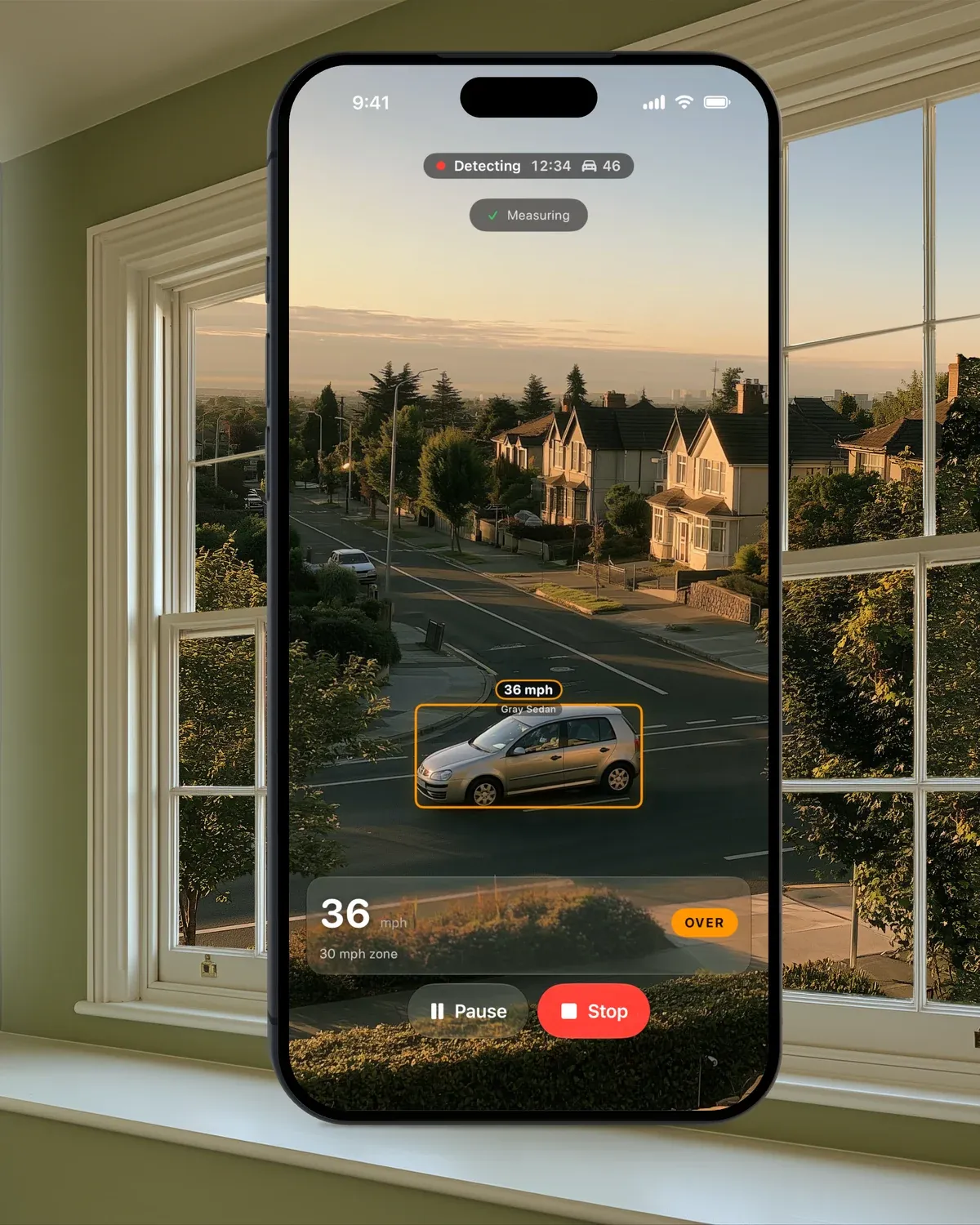
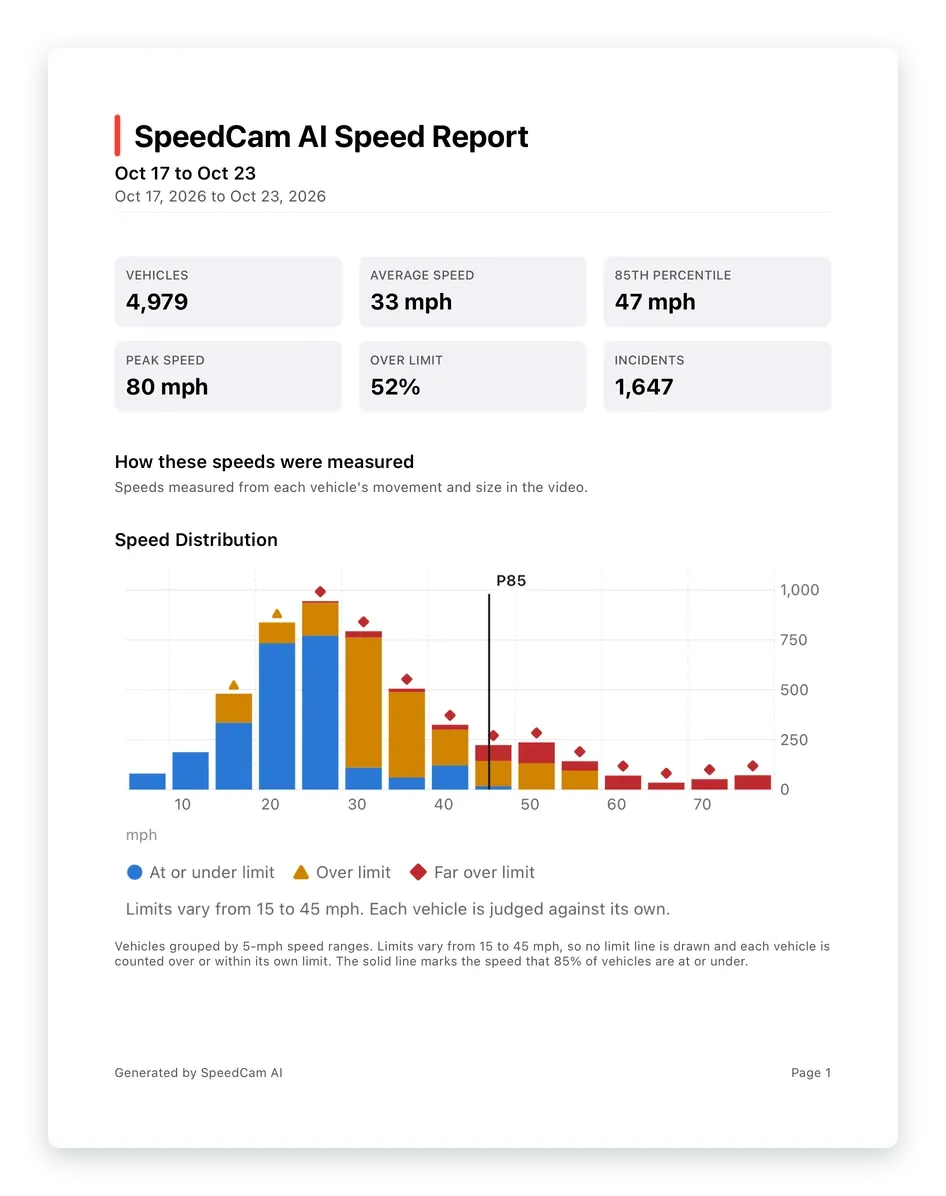
Start Detecting also records the session. Every vehicle is counted and each car over your limit by the margin you choose is saved with photos. Without Pro the session is kept on your iPhone, locked, and Analytics shows how many vehicles passed, the typical speed and the share over the limit. With Pro, it joins the charts of your street, down to the busiest hours, and a PDF report puts the speed distribution of your road on one page.
Where to put the phone
- Look across the road. Turn the phone a little to one side, so cars cross the picture rather than drive towards it. This is the opposite of a speed gun, which wants traffic coming at it.
- Stay close. Keep the lane you want to measure near, close enough that a passing car fills at least a quarter of the picture’s width.
- Keep it still. A windowsill, a dashboard or a tripod all work, as long as the phone does not move.
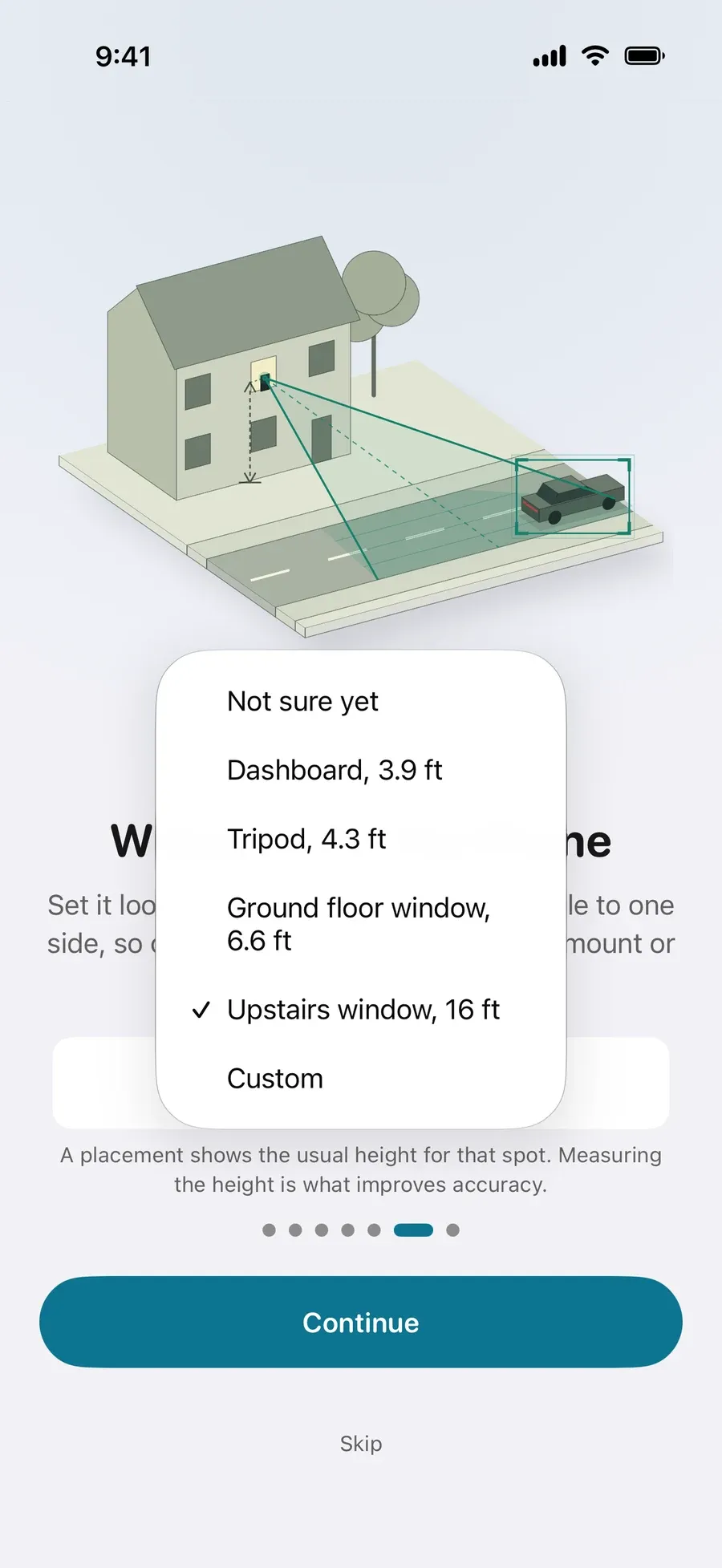
- Tell the app how high it sits. Pick a placement when you set up. For more accurate speeds, measure how high the phone sits above the road and enter it in Settings › Capture › Camera height.
How the app works out a speed
Vehicles are detected on your iPhone, not in the cloud, and the app follows each one as it crosses the picture. It learns your view from the passing traffic: the status at the top of the Live view reads “Learning this view” and then “Measuring”. A speed is saved once its reading has settled, and a measured camera height is what improves accuracy. Your recordings are never sent to us.
Free, and what Pro adds
Live speeds on screen are free, with no time limit and no sign-up, and so is recording. Each session is kept on your iPhone, locked, with its vehicle count, typical speed and share over the limit open, and each vehicle over your limit by the margin you choose (5 mph by default) shows with its photo. Pro opens every photo, the charts of your street and a PDF report, and adds optional video clips. Pro is $19.99 a year in the US, with a 3-day free trial for new subscribers, or $59.99 once, and the App Store shows the price in your currency. See Pricing.
Next steps
- Measure the speed of passing cars with your iPhone
- How to measure a car’s speed from a video
- Speeding on my street: how many cars go over the limit?
- Run your own speed survey of your road, for UK roads
- What a smiley ‘slow down’ sign would show on your road
- Is SpeedCam AI free?
- SpeedCam AI for UK 20mph streets
Questions, answered.
How can I check the speed of cars on my street?
Set an iPhone in a window or on a tripod, looking across the road, and open SpeedCam AI. Tap Start Detecting and the speed of passing cars shows on screen, free. A speed gun works too, but someone has to stand at the roadside and aim it at each car.
Can my iPhone measure the speed of passing cars?
Yes. With SpeedCam AI, set the iPhone in a window or on a tripod, looking across the road, and tap Start Detecting. The speed of passing cars and motorcycles shows on screen, in mph or km/h. It is free, with no account.
Is there a speed gun app for cars?
SpeedCam AI is an iPhone app that shows the speed of passing cars from a window or a tripod. It uses the iPhone’s camera rather than radar, so there is nothing to buy or hold. Live speeds are free, with no account.
Does the app work like a radar gun?
No. A radar gun reads the one vehicle you point it at, along the road. SpeedCam AI looks across the road and shows the speed of the cars and motorcycles crossing the picture, with nobody holding the phone.
How does a radar gun measure speed?
It sends out a microwave beam and measures how much the frequency of the reflection has shifted. The shift, the Doppler effect, is proportional to how fast the car is moving towards or away from the gun: about 72 Hz for every mph on a K-band gun.
Why does a radar speed sign show a lower speed as I get close?
Radar reads only the part of your speed along its beam, your speed times the cosine of the angle between your path and the sign. The sign stands beside the road, so the angle opens up as you get close and the reading drops, even at a steady speed. At 40 mph, a sign 10 feet to the side reads about 32 mph when you are 13 feet away.
Do I have to stand at the roadside?
No. Prop the phone in a window or put it on a tripod, start it, and leave it. Each car’s speed shows on screen as it passes.
Do drivers see the speed?
No. Speeds show on your phone only. SpeedCam AI is not a speed sign and shows nothing to the road.
Is it free?
Live speeds on screen are free, for as long as you like, and each session is kept on your iPhone, locked, with its vehicle count, typical speed and share over the limit open. Pro shows every photo of each car over your limit by the margin you choose, and the charts of your street. See Is SpeedCam AI free?