
What a smiley ‘slow down’ sign would show on your road
A sign shows each driver their own speed. An iPhone in your window shows you the speeds of the traffic and keeps the record.
Diese Anleitung ist derzeit nur auf Englisch verfügbar.
A speed indicator device, or SID, is the sign at the roadside that shows each approaching driver their own speed, often with a smiley face or a message such as SLOW DOWN. A small radar in the sign reads the speed as a vehicle comes towards it. Published UK prices for a solar-powered sign run from about £1,770 to over £3,000, depending on the sign and its options (sources below).
If what you want to know first is how fast the traffic on your road, or through your village, goes, an iPhone in your window can show you that tonight. SpeedCam AI shows the speed of passing cars on your phone, in mph, free. It is not a speed sign, and drivers see nothing. It keeps the record too, every vehicle counted with the share over your limit, and Pro lays it out hour by hour.
A speed indicator device and an iPhone, side by side
| Option | What it shows | Who sees it | What it keeps | What it costs |
|---|---|---|---|---|
| Speed indicator sign | The speed of each vehicle coming towards it | The driver | Some signs record each speed, often as an extra-cost option downloaded from the sign | From about £1,770 to over £3,000 for a solar sign, depending on the sign and its options |
| iPhone with SpeedCam AI | The speed of cars and motorbikes crossing the picture | You, on your phone | Each session, with its vehicle count, typical speed and share over the limit, and with Pro the vehicles by hour, every photo of vehicles over your limit by the margin you choose, and a PDF | Live speeds and recording are free, and Pro opens the charts and photos |
What you see on the phone
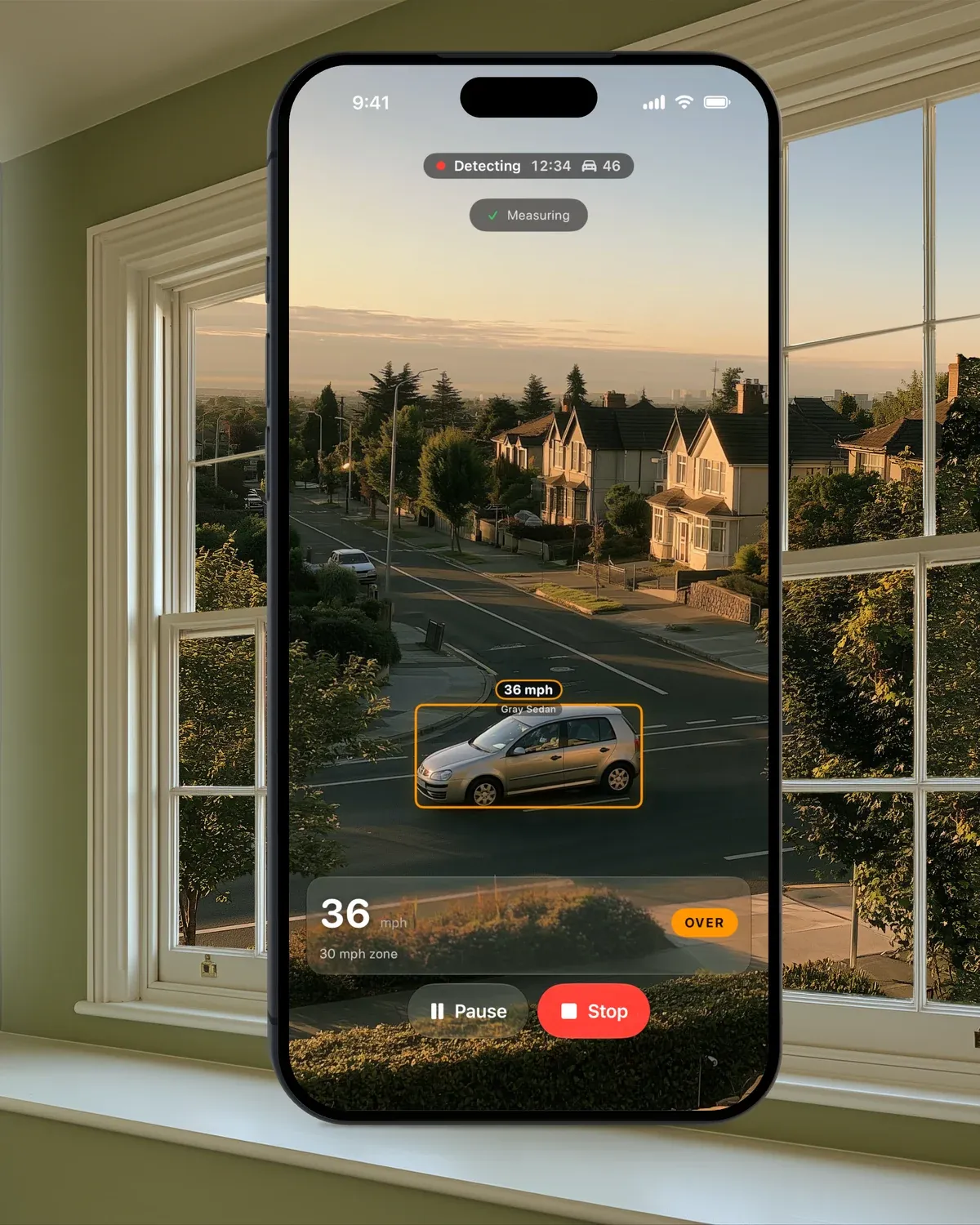
Set the iPhone in a window or on a tripod, looking across the road and turned a little to one side, so cars cross the picture. Tap Start Detecting and each car’s speed shows as it passes. Set your road’s limit in Settings › Capture › Speed Limit, from 15 mph up, and for more accurate speeds enter how high the phone sits above the road in Settings › Capture › Camera height.
What the record shows
A sign’s display is gone the moment the car passes. Start Detecting saves the session, and a week of sessions adds up to the picture of your road.
- Vehicles, Typical Speed and Over Limit in the first row of Analytics, against the limit you set.
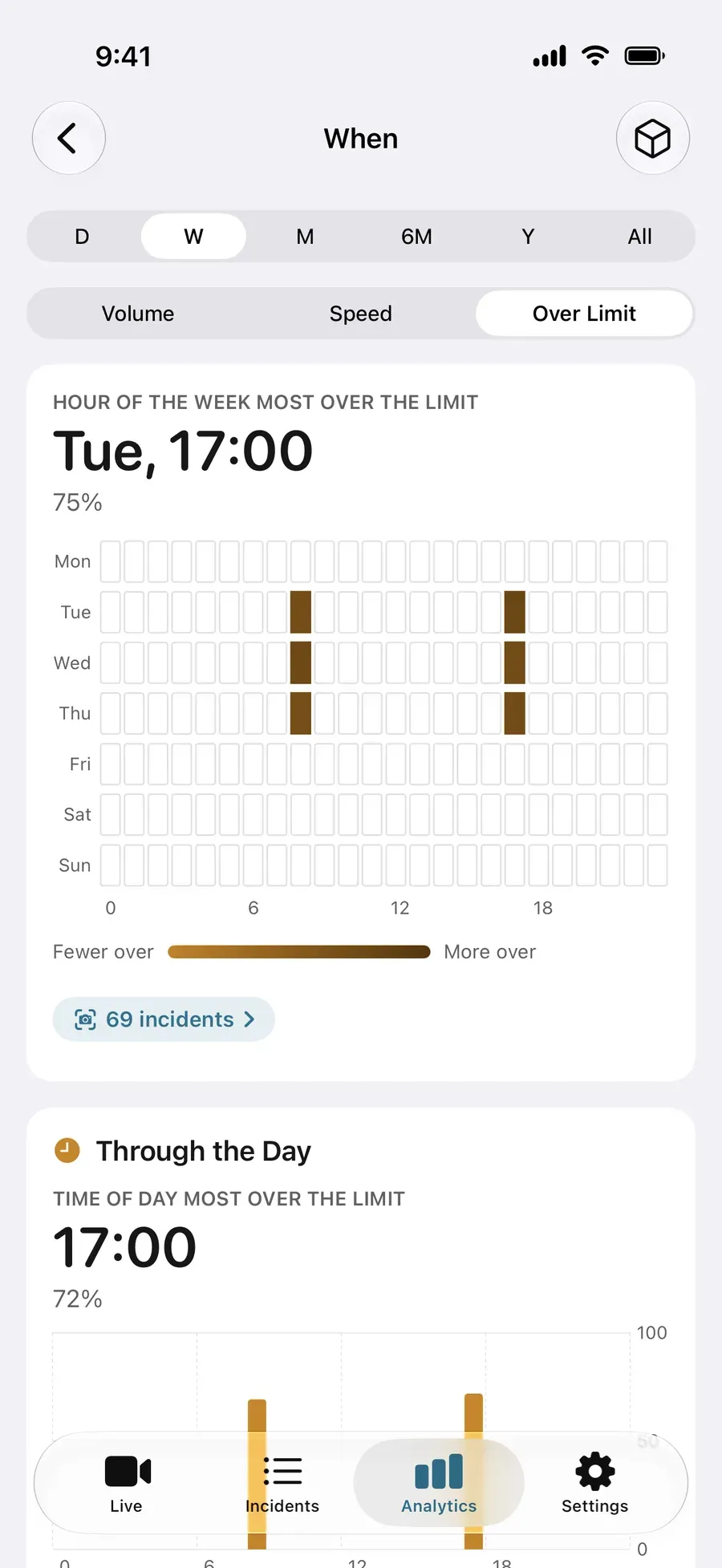
- When: the busiest hour of the week, and a grid of weekdays by hour, coloured by volume, speed or the share over the limit.
- The cars over your limit by the margin you choose (any speeding, or 5, 10 or 15 mph over), each saved with photos, its speed and the time.
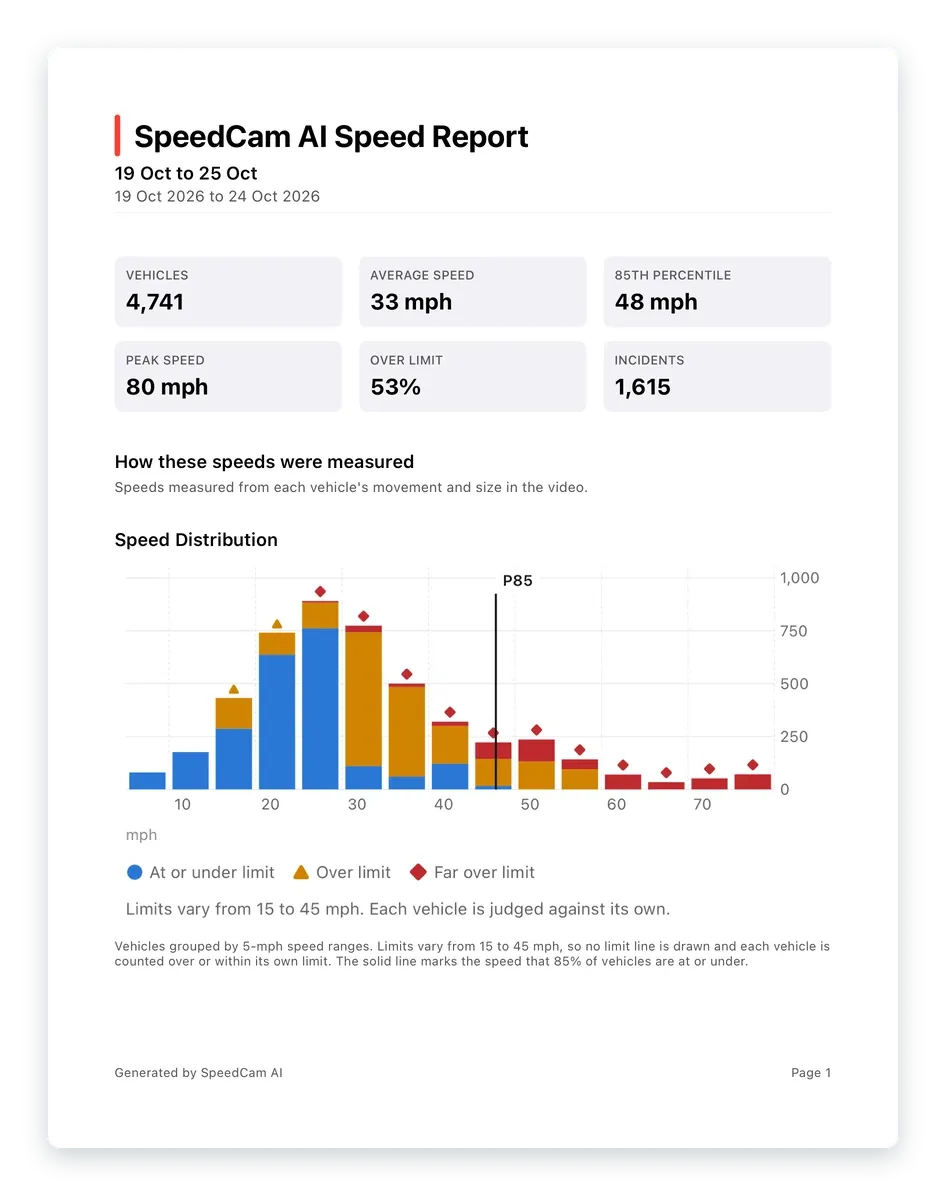
- A PDF report with the summary figures, the speed distribution and the charts.
Without Pro, each session is kept on your iPhone, locked. The first row of figures stays open, and each recorded incident shows with its photo. Pro opens When, every photo and the PDF.
What it is
SpeedCam AI shows you the traffic on your own road. It puts nothing on the street and shows nothing to drivers. Vehicles are detected on your iPhone, and your recordings are never sent to us.
Where the prices come from
- One UK supplier’s vehicle activated speed sign price guide, April 2024: £2,250 a sign before VAT, plus £625 for solar power and £300 for recording each passing speed.
- A 2021 comparison of three suppliers’ speed indicator devices: solar signs priced from about £1,770 to £2,995, the dearest with recording built in and quoted before VAT.
Next steps
Fragen, beantwortet.
Is SpeedCam AI a speed indicator sign?
No. It shows nothing to drivers. The speeds show on your iPhone, for you, and the app keeps a record of your sessions there.
How much does a speed indicator device cost?
It depends on the sign and its options. One UK supplier’s 2024 price guide lists a sign at £2,250 before VAT, plus £625 for solar power and £300 to record each passing speed. A 2021 comparison of three suppliers found solar signs priced from about £1,770 to £2,995. A post or bracket to mount it on can add to that. The sources are at the end of this page.
What would the app show me that a sign would not?
The whole picture of your road, without anything on the street. Each session is saved with how many vehicles passed, their typical speed and the share over the limit, and Pro adds the busiest hours and a PDF.
Can drivers see the speed?
No. Only you see it, on your phone.